Fera is bringing more flexibility to your storefront this August! 🎉
This month’s updates give merchants more control over what shoppers see when a product has no reviews, introduce a new widget for showcasing customer media, and improve review request automation for returning customers.
Here’s what’s new in Fera.
What to Do When a Product Has No Reviews?
Not every product has reviews yet. Instead of leaving an empty space on your product page, Fera now gives you more options for what to display.
When a product has no reviews, you can choose from these options:
- Hide the widget (existing)
- Show all reviews (existing)
- Show other store reviews only (new)
- Show other product reviews only (new)
- Show 0 reviews (existing)
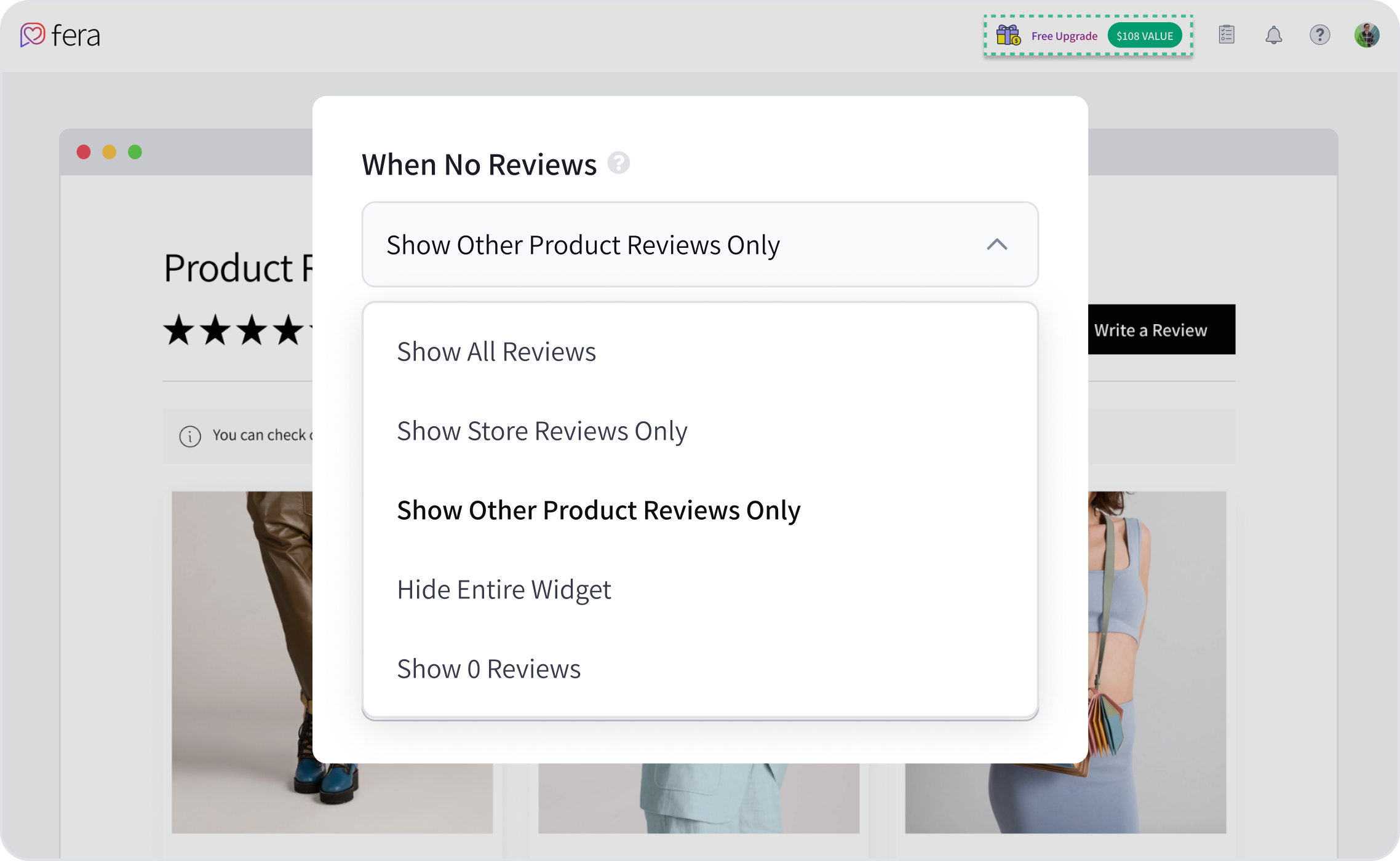
These new options give you more flexibility to keep your product pages looking active and helpful, even when a specific product hasn’t received its first review yet.
New Media Carousel Callery
Customer media can be just as powerful as written reviews. With this new widget, you can showcase customer images in an engaging, easy-to-browse format.
The new media carousel gives merchants a dedicated way to display customer photos and bring more visual social proof to their storefront.
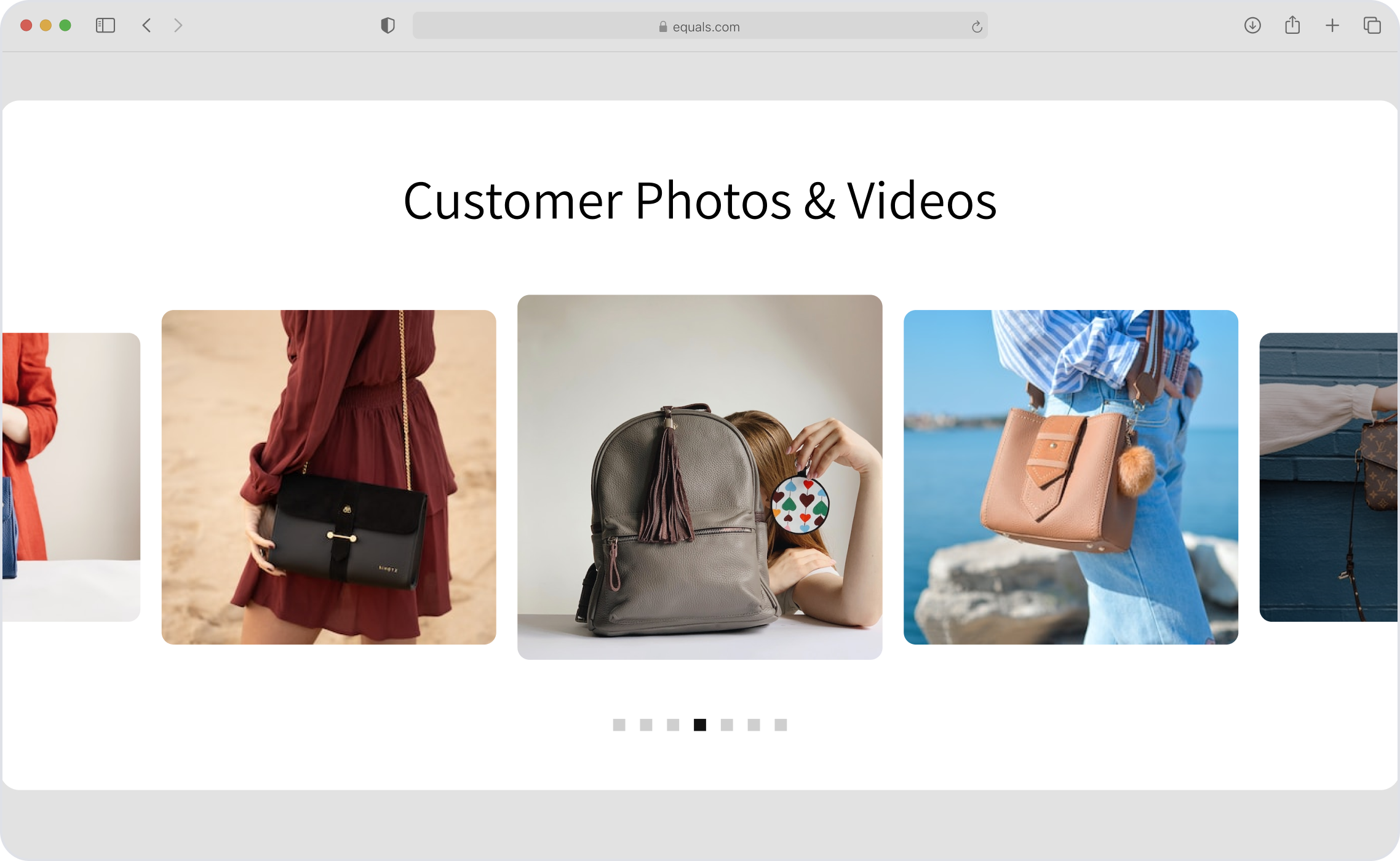
If your customers are already sharing images in their reviews, this is an easy way to put that content in the spotlight.
Check Review Requests for Returning Customers
Fera now makes it easier to verify whether review requests for returning customers are working as expected.
Merchants can check this directly under Submissions > Automations to make sure the automation is set up correctly and review requests are being sent to returning customers as intended.
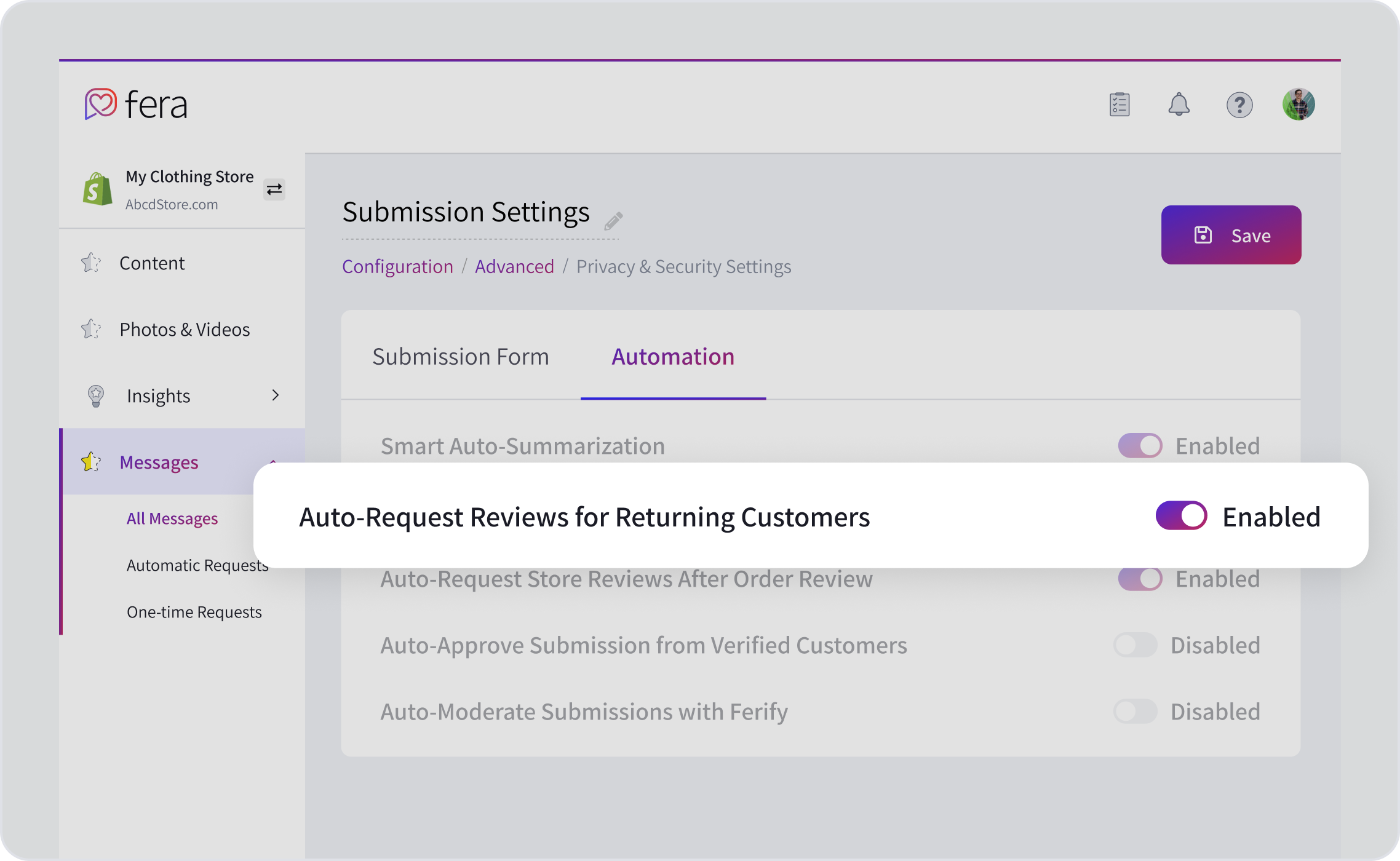
This gives you a quick way to check your automation setup and make sure you’re not missing opportunities to collect more reviews.
New Review Verification Modal
We’ve also added a new verification modal to the storefront.
When shoppers click the verification icon on a review, they can now see more information about the verification badge. This makes the process more transparent and helps shoppers better understand what the badge means.
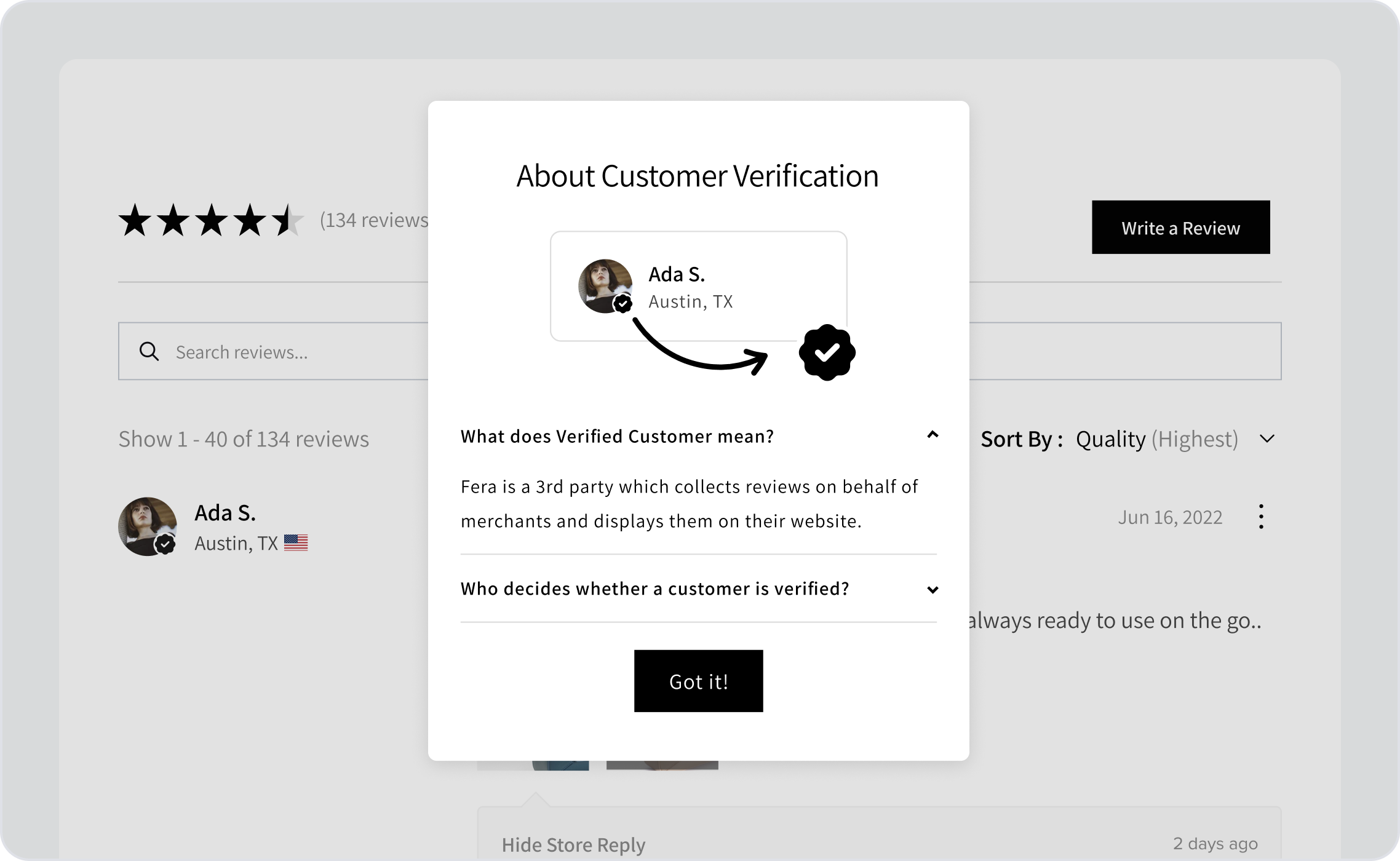
This helps make reviews feel more trustworthy and gives shoppers greater confidence when making a purchase.
We’re always working on new ways to make Fera better, so stay tuned for what’s next!