Even in 2026, adding product reviews is still one of the easiest ways to build trust and help customers to make purchases faster. Real feedback from real customers can help you to build credibility and increase sales for your BigCommerce store.
In this guide, you will learn exactly how to add product reviews to your BigCommerce store step by step using Fera.
Step 1: Install Fera Reviews on BigCommerce
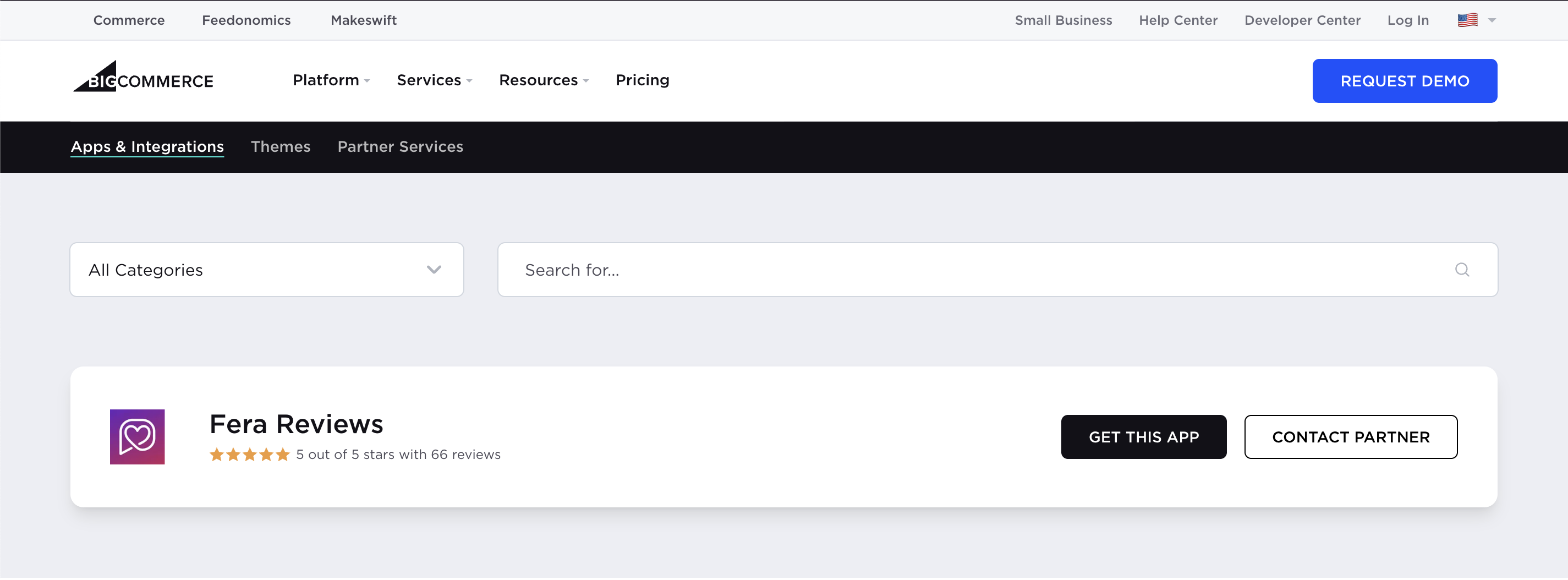
First, log in to your BigCommerce account and install the Fera Reviews app from the BigCommerce App Marketplace.
This ensures your products are linked correctly with reviews.
After installing the app:
- Create a new Fera account.
- Log in to an existing Fera account.
Fera will automatically sync your BigCommerce products and store data.
Step 2: Open the Fera Dashboard
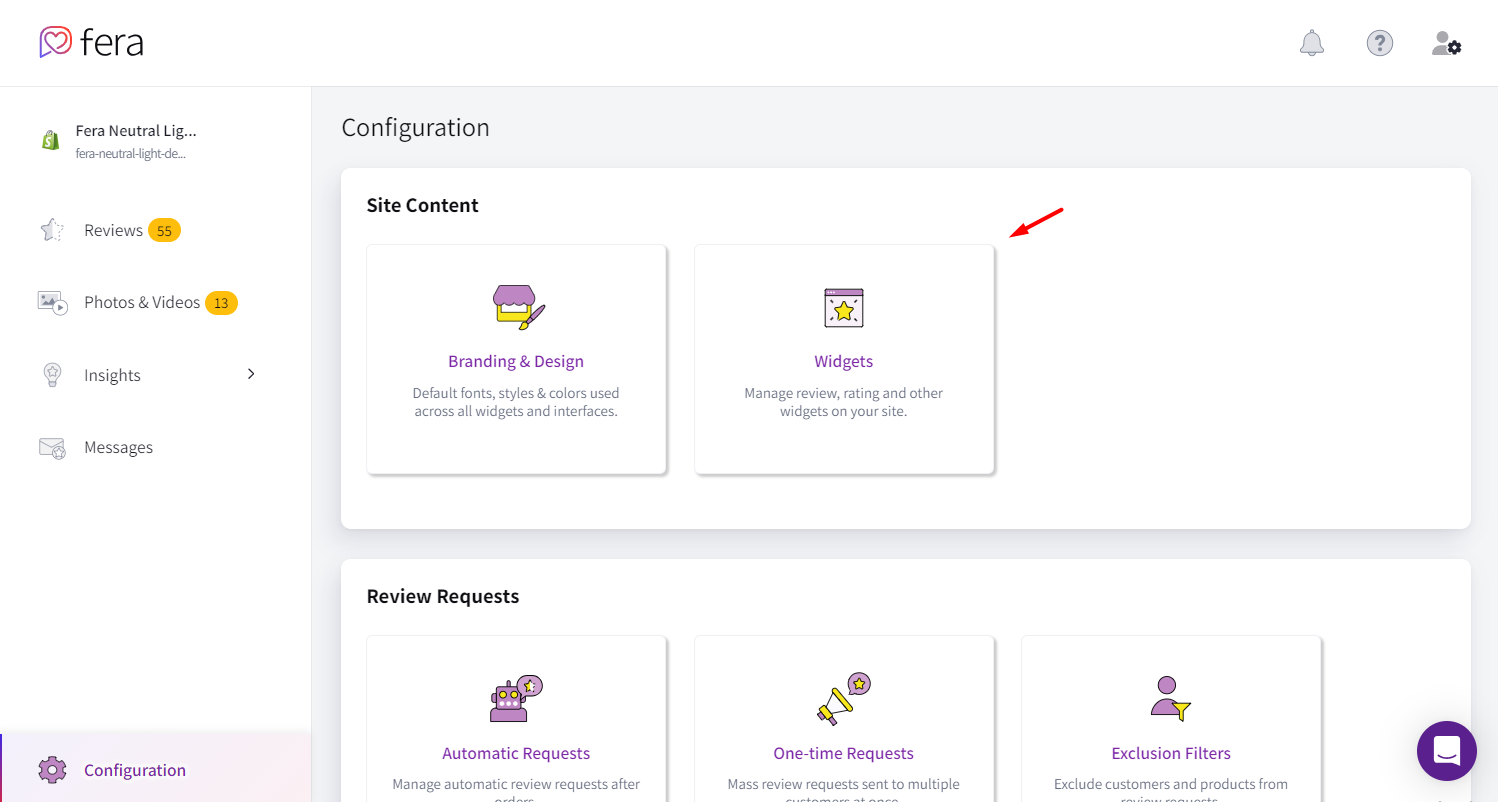
After setup, go to your Fera dashboard and click on Configuration.
Inside, you will find the Widgets section where you can manage all review display options.
Step 3: Choose Your Review Widget
Fera offers multiple widget types to fit different store needs.
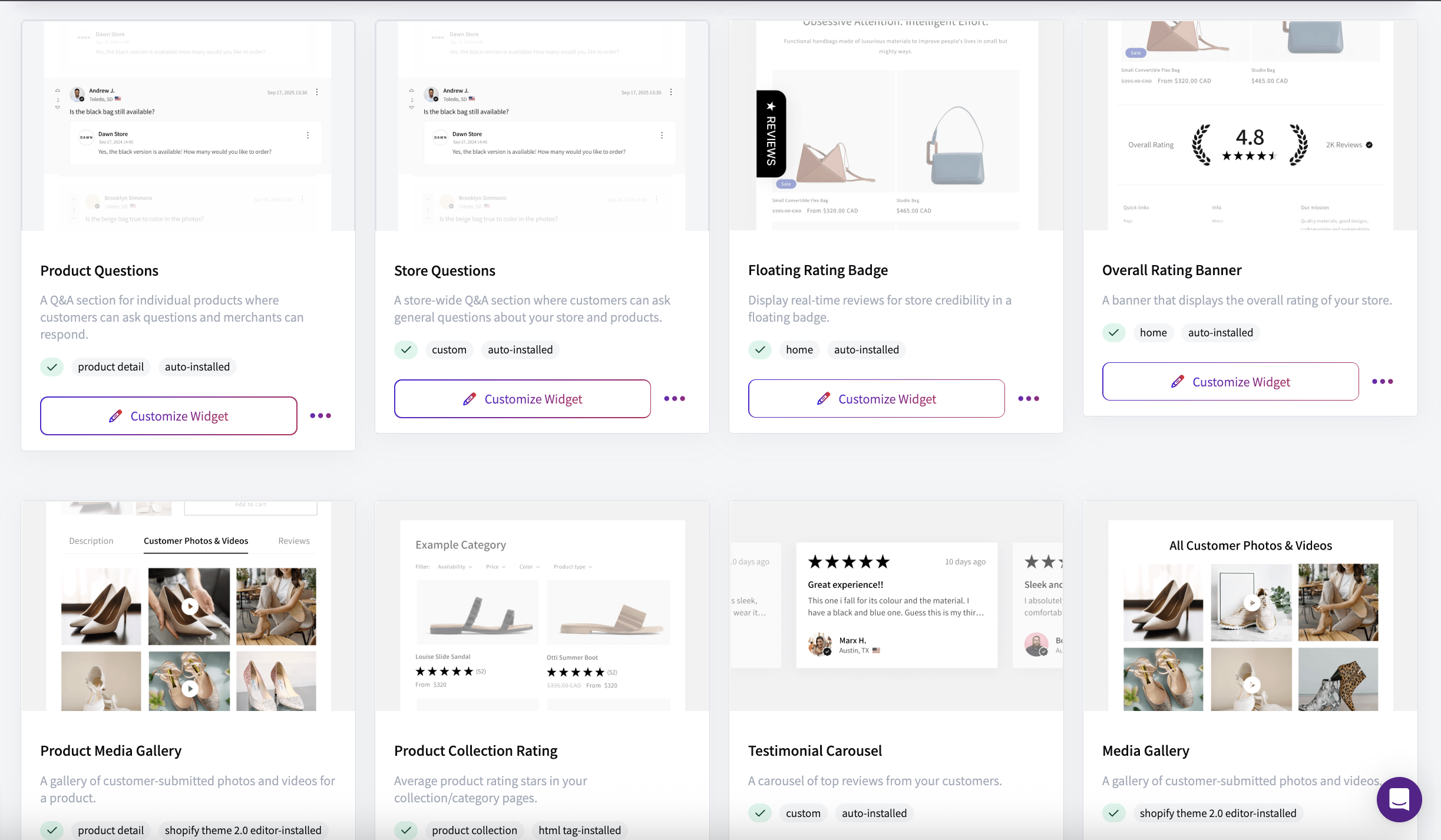
You can choose from:
- All Reviews
- Product Reviews
- Testimonial Carousel
- Product Detail Rating
- Product Collection Rating
- Overall Rating Banner
- Floating Rating Badge
- Product Questions
- Store Questions
You can explore all of the widgets here.
To continue, click Setup Widget on the one you want to use.
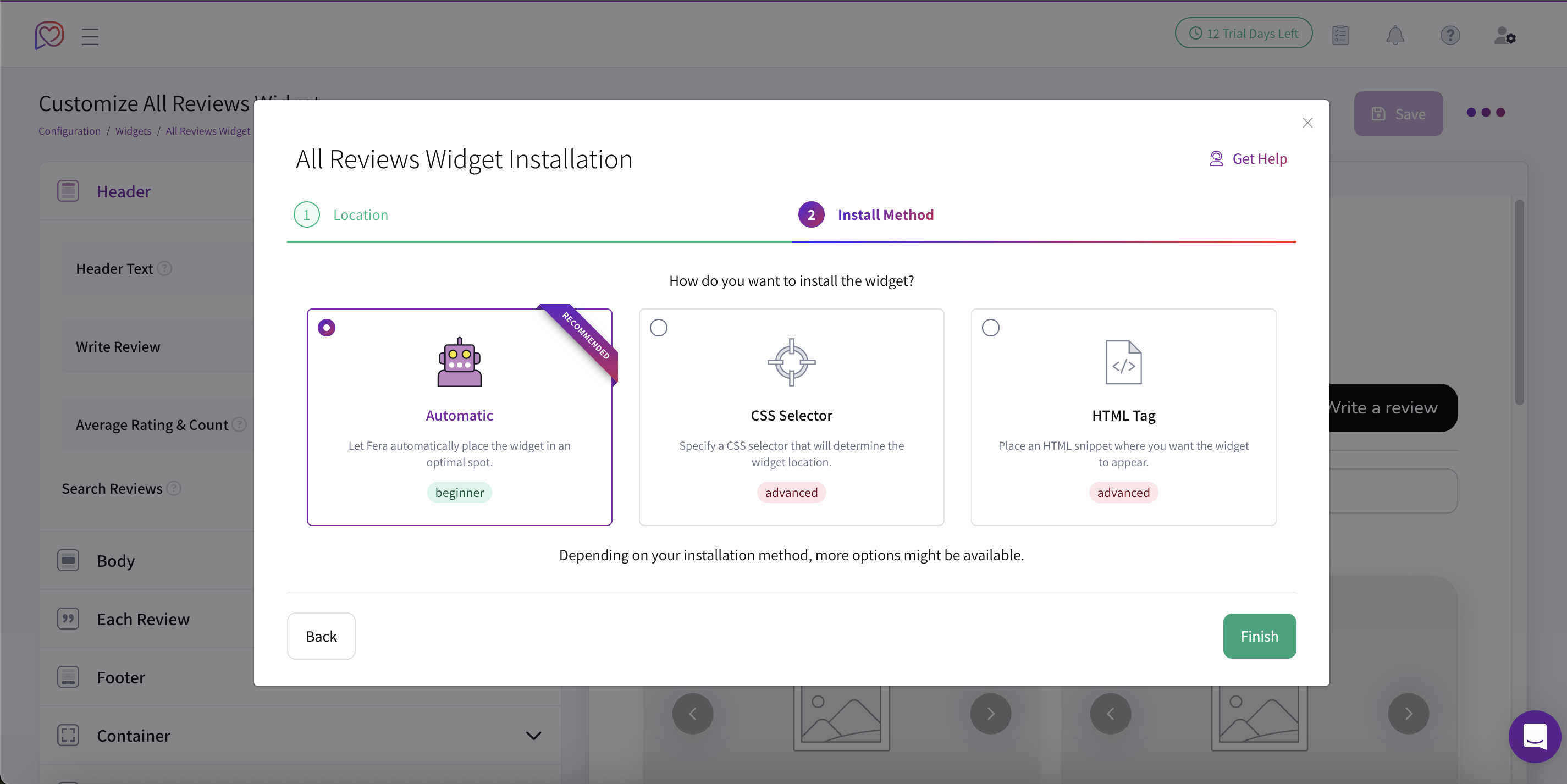
Step 4: Choose Where to Display Reviews
Next, you can decide how your reviews will be placed on your store:
- Automatic (Beginner) – Fera will automatically position the widget for you.
- CSS Selector – You can choose a specific location using CSS customization.
- HTML Tag (Advanced) – You should manually add the widget using an HTML tag.
Once you have selected the desired placement, click the Finish button.
Most stores place reviews:
Directly below the product description
Near the “Add to Cart” button
This placement works best because customers see reviews right before making a purchase decision.
Congratulations! Your product reviews are now live and visible on your BigCommerce store for all shoppers to see.
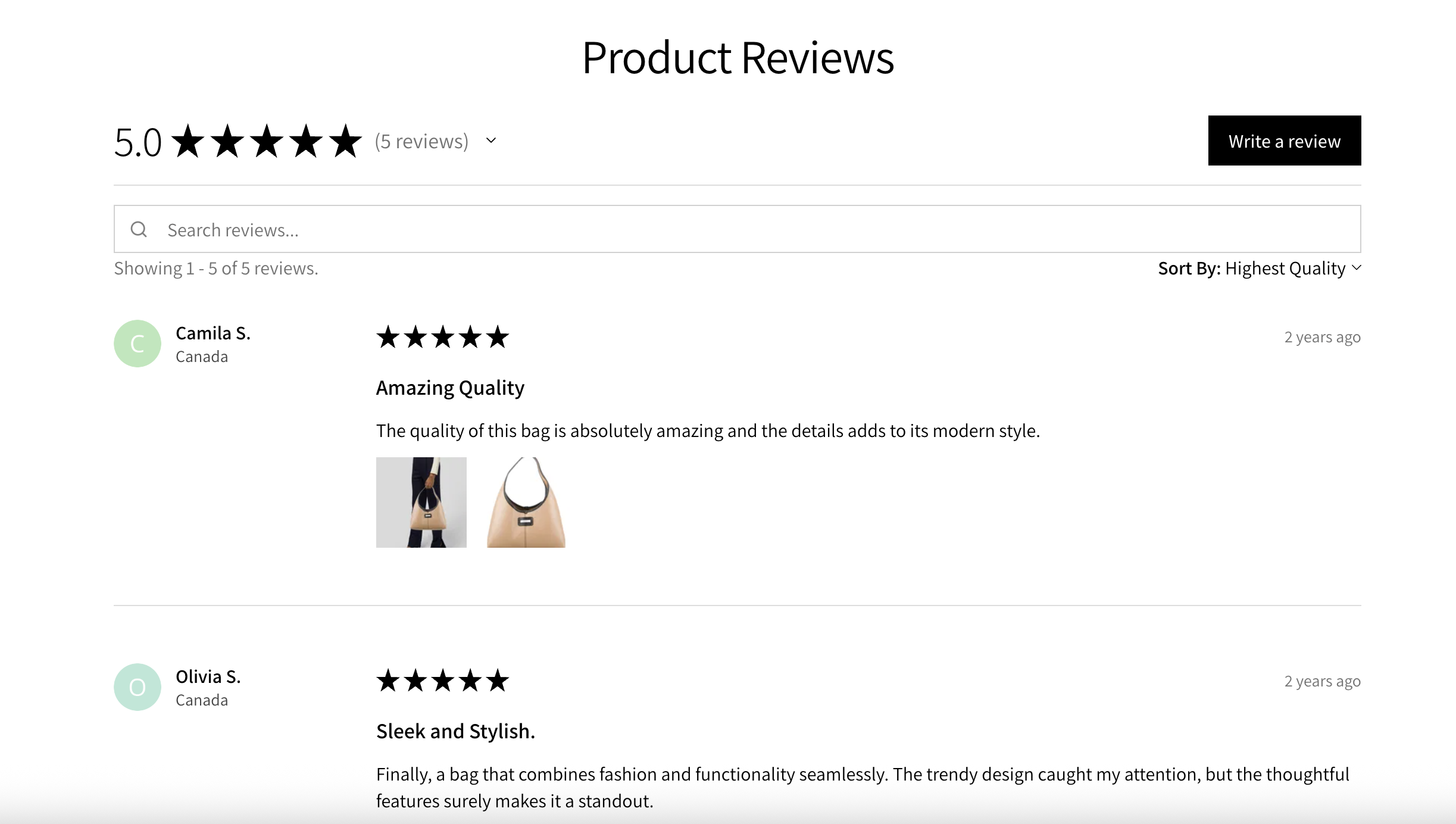
Customize Your Review Widget (Optional)
Once your widget is placed, you can customize its appearance to match your BigCommerce store design.
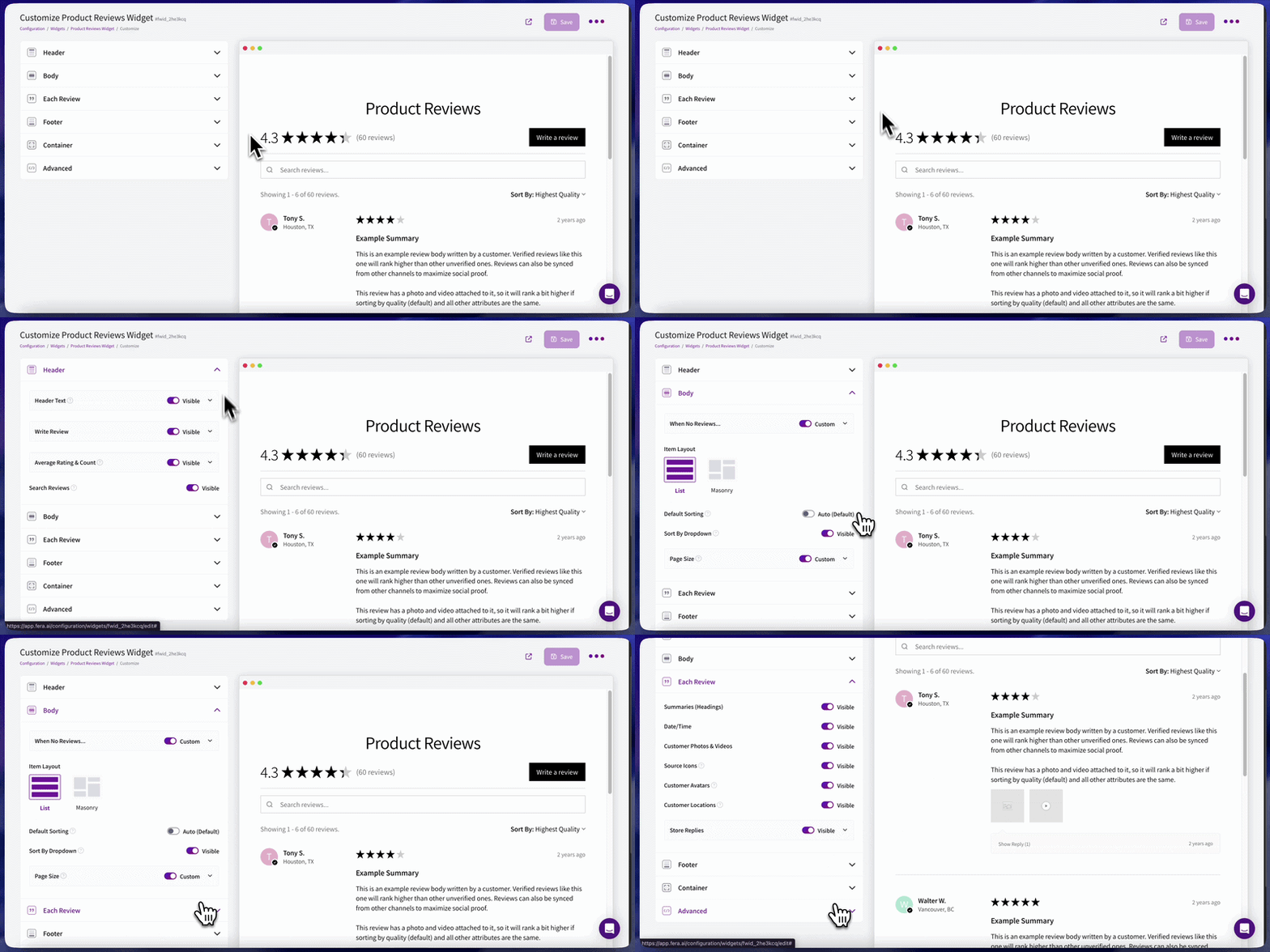
You can adjust:
- Text style and colors
- Star rating colors
- Background styling
- Image shapes and layout
You can also choose how reviews appear:
- Text-only reviews
- Reviews with photos and videos
💡 We recommend enabling photo and video reviews because they make your store feel more authentic and trustworthy.
By following this guide, you can use Fera’s features to build a strong product review system that helps increase trust, improve conversions, and give you better insight into what your customers think about your products.